.svg)
We reviewed 10 hospital inspection software to improve compliance
Quick summary
This guide explores 10 top hospital inspection software options, including Ruya Compliance, Iristrace, Inspectivity, and others. Ruya Compliance stands out for healthcare-specific workflows and smart automation. Iristrace offers strong mobile forms and offline support, while Inspectivity brings robust asset tracking and intelligence. Find out how these tools reduce paperwork, speed up issue resolution, and keep your teams audit-ready.
Still using paper checklists for hospital inspections?
Hospitals face daily inspections, yet many teams are still stuck with outdated forms and tools that were not built for the pace and complexity of healthcare. This mainly results in missed details, delayed follow-ups, and documentation gaps that show up when it’s too late.
That’s why more hospital systems are turning to inspection software that matches how facilities actually operate.
In this Ruya article, we reviewed the top 10 hospital inspection software that keep your teams ahead daily, not just during surveys.
But first…
Why listen to us?
Ruya works with large hospital systems across the country to support inspections, floor plans, and facility operations. Our platform is used daily by teams managing millions of square feet, giving us deep insight into what actually works in hospital inspection tools. This experience helps us share what matters most when evaluating inspection software.

What is hospital inspection software?
Hospital inspection software is a digital tool that helps healthcare facilities manage, track, and document all activities in one place. Instead of relying on paper forms, spreadsheets, or disconnected systems, it centralizes every inspection, from fire safety checks to equipment rounds, so teams can work faster and stay compliant.
These platforms provide structured workflows, mobile checklists, real-time updates, and automated documentation that surveyors can easily verify.
1. Ruya Compliance

Ruya is a digital platform built specifically for hospitals that manage large facilities, complex inspection workloads, and strict compliance requirements. It organizes everything by hospital building or campus, giving teams a clear view of floor plans, inspections, vendors, and assets in one place.
Our platform supports daily fieldwork with real-time updates, mobile inspections, and tools shaped around real hospital workflows rather than generic FM features.
Key features
- Real-time floor plans: View current PDF, DWG, and Revit drawings organized by building, keeping all teams aligned.
- Mobile inspections with code checklists: Complete on-site inspections using structured forms that align with healthcare compliance standards.
- Visual inspections with Native CAD/BIM integration: View and annotate floor plans on any device to support inspections and track issues in real time.
- Per building vendor and asset directory: Track vendors, warranties, and assets with precise building context for better maintenance decisions.
- Life safety plan collaboration: Review and update life safety plans securely without needing network access or shared drives.
Pricing
Ruya offers custom pricing based on facility size, number of campuses, and user needs.
Pros
- Built specifically for hospital facilities and compliance workflows
- Mobile-friendly inspections and plan access
- Clear building-level organization across large portfolios
- No plugins needed for CAD or BIM viewing
Cons
- Training is necessary to utilize all the modules fully
- Not suitable for single-location hospitals
2. IMEC Hospital Inspection Software
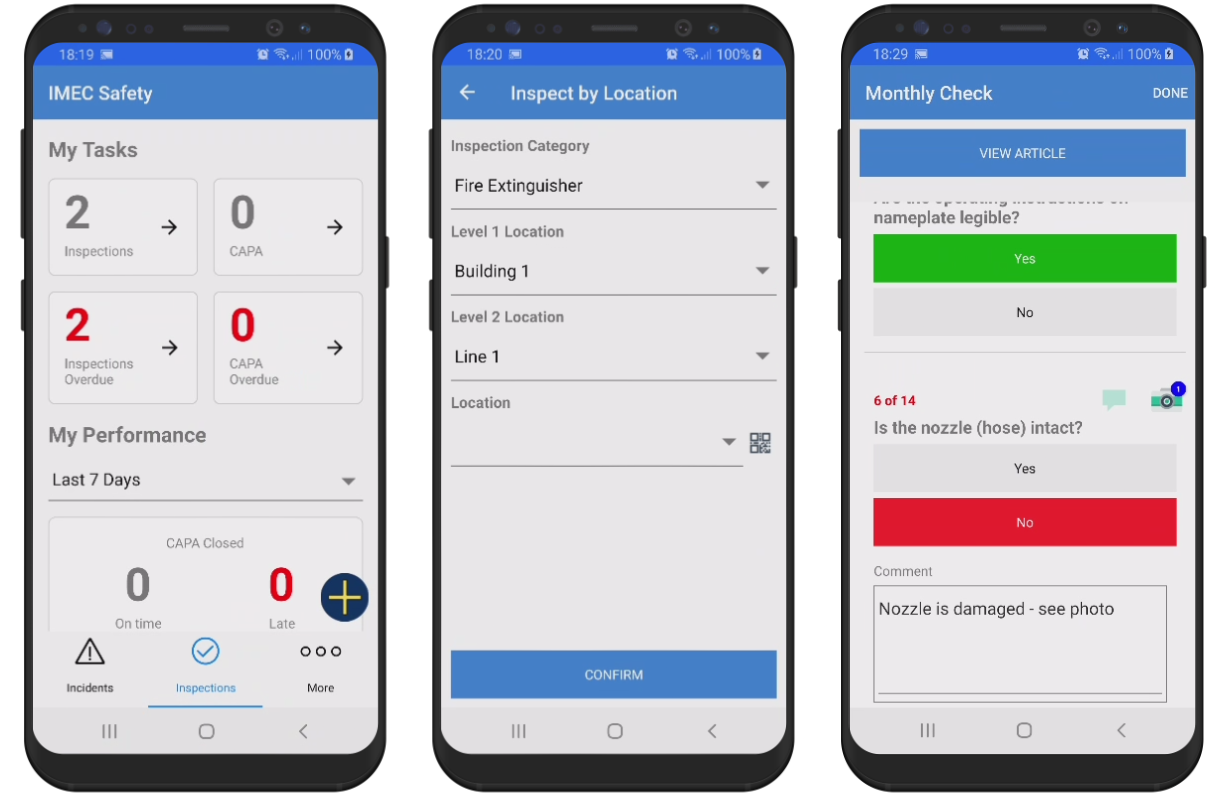
IMEC Hospital Inspection Software is a cloud-based inspection and compliance platform built for hospitals and healthcare environments. It focuses heavily on fire and life safety, as well as NFPA 99 compliance, helping teams manage inspection workflows across large facilities.
Its mobile app works on iOS, Android, and Windows devices and supports barcode and QR validation to ensure inspectors verify each inspection point correctly.
Key features
- Automatic inspection scheduling: Set recurring daily, weekly, monthly, or annual inspections and monitor upcoming tasks easily.
- Custom checklists and forms: Build detailed inspection forms with lists, numbers, GPS, and barcode fields for complex workflows.
- Corrective action management: Create and assign corrective actions with due dates, alerts, and escalation paths for failed checks.
- Dashboard and reporting engine: Generate dashboards and reports to track completion rates, trends, and compliance status.
- Mobile app with barcode scanning: Complete inspections in the field using mobile devices and barcode tags for quick asset identification.
Pricing
IMEC provides custom pricing based on facility size and inspection scope.
Pros
- Strong compliance support
- Mobile app with GPS and barcode scanning
- Highly customizable checklists
- Clear dashboards for monitoring completion
Cons
- Users report that the initial setup is time-consuming
- May create a separate data silo if not integrated properly
- Platform depends on consistent mobile device availability
3. Iristrace
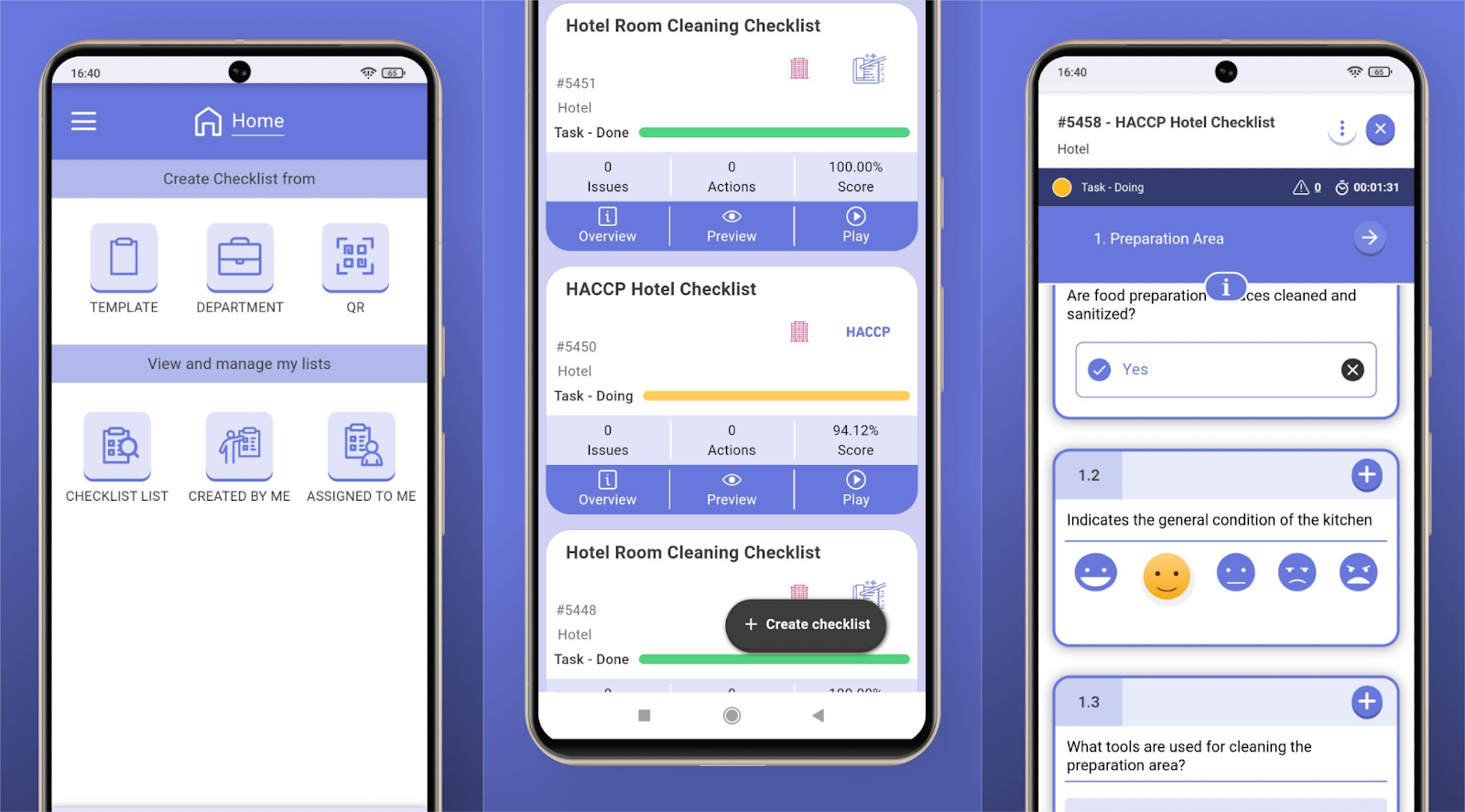
Iristrace is a no-code digital checklist and inspection platform designed to boost quality, safety, and compliance in hospital settings. It provides inspection workflows, audits, and corrective actions tailored for healthcare teams, all accessible on mobile or desktop devices.
Using Iristrace, you can digitize critical checklists, from surgical safety to hygiene and calibration logs, eliminating paper-based forms.
Key features
- Custom checklists and workflows: Build inspection templates with conditional logic, scoring, and dynamic titles to guide staff.
- Offline mobile access: Collect inspection data, photos, and attachments in the field and sync once connected.
- Scoring and performance benchmarking: Assign weights, tags, and scores to compare departmental or facility performance over time.
- Dashboard and analytics: Real-time dashboards show checklist results, delays, and problem areas for rapid insight.
- Hygiene and patient safety modules: Includes templates for surgical prep, hygiene rounds, pharmacy management, wristband checks, and more.
Pricing
Pricing is custom-quote based.
Pros
- Highly flexible, no-code checklist builder
- Simple mobile inspections, even when offline
- Strong corrective action and audit support
- Real-time visibility into quality across departments
Cons
- Users note that the quality and size of the report charts can be better
- Users may benefit from advanced workflow management features
4. Inspectivity
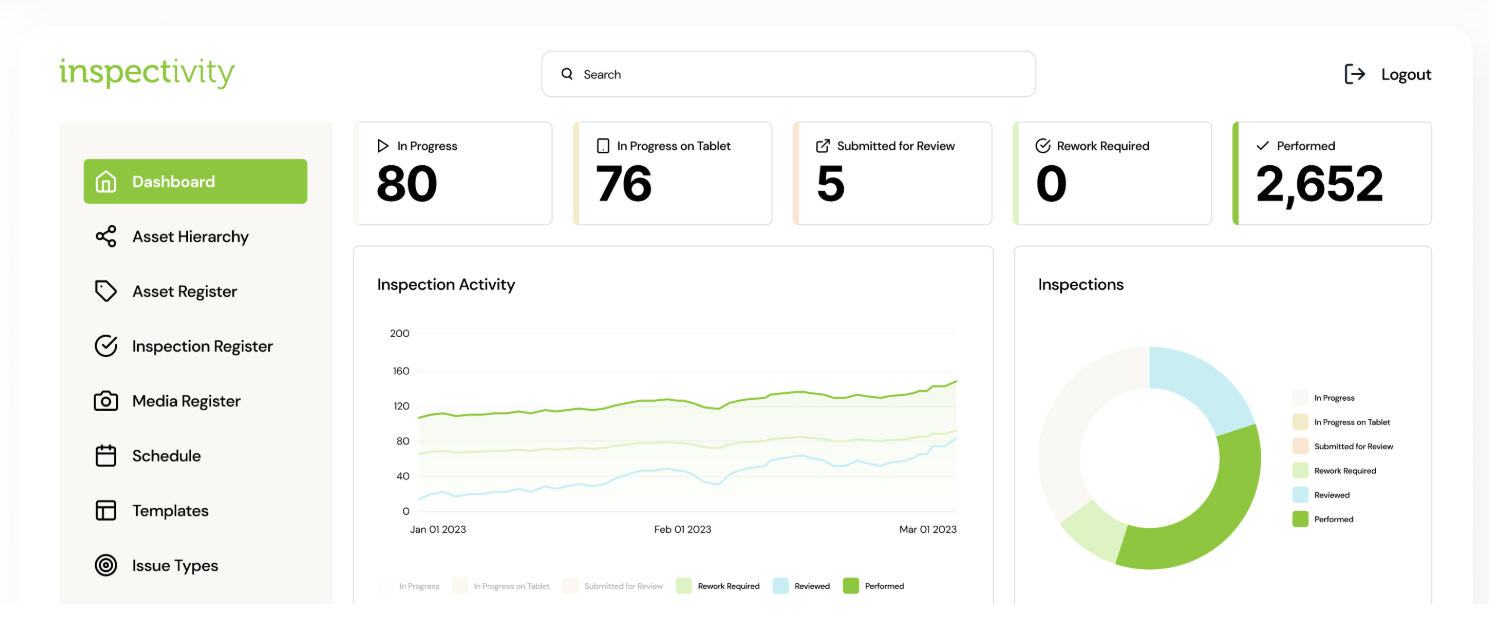
Inspectivity is a digital inspection and asset-management platform built to support inspection workflows, standardized data capture, and asset hierarchy across complex operations.
While not strictly hospital-only, Inspectivity’s capabilities align with large facilities and asset-centric operations, making it relevant for hospital inspection and maintenance use cases as well.
Key features
- Unified asset intelligence: Centralize all inspection, maintenance, and asset data in one platform to avoid duplication and errors.
- Rich media support: Attach photos, videos, and metadata directly to tasks, making field data actionable and searchable rather than lost in folders.
- Mobile field operations (online/offline): Field teams can complete inspections via the app even without connectivity, maintaining a consistent workflow across sites.
- Workflow automation & standardization: Enforce guided inspection steps and consistent data capture to reduce variability and risk.
- Integration and scalability: Integrates with existing hospital systems (e.g., ERP, CMMS) via APIs. Offers asset registers and the ability to scale across large deployments and complex asset hierarchies.
Pricing
- Essentials: AUD $75/month for one user with basic inspection and asset features.
- Professional: AUD $600/month for five users with unlimited templates, reports, analytics, and roles.
- Enterprise: Custom pricing, which includes API integration, SSO, and dedicated hosting.
- Free 14-day trial available.
Pros
- Strong mobile inspection and offline field tool
- Asset-centric structure supports large portfolios
- Rich media + searchable inspection history
- Flexible and supports integrations across systems
Cons
- Making bulk changes across multiple forms is time-consuming
- Not built explicitly for healthcare facilities
5. InspectAll
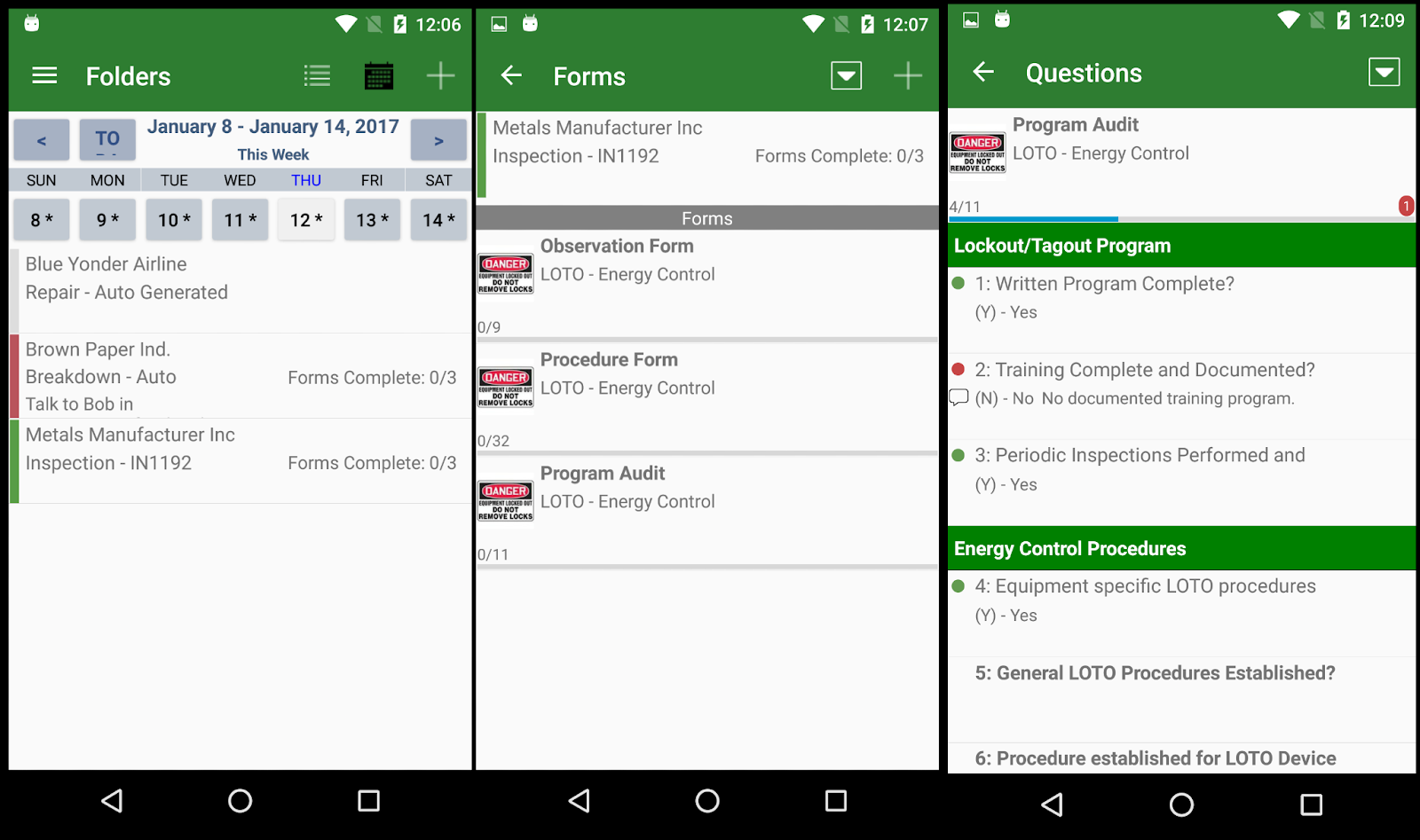
InspectAll is a mobile-first inspection software built to support regulated environments, including healthcare, enabling field teams to complete checklists, track assets, and share reports in real time.
While it serves many industries, it offers tools useful for hospital facilities and asset inspections with flexible forms, asset scanning, and mobile-friendly workflows.
Key features
- Custom form builder: Design your own inspection templates to mirror existing paper- or spreadsheet-based workflows.
- Integration and export capabilities: Includes API support and exports (PDF/XLS) for sharing with other systems or workflows.
- Photo capture and annotation: Attach and annotate photos directly in the form to clearly document issues.
- Asset tracking and barcode/QR support: Tag assets with barcodes or QR codes, scan in the field, and link inspection outcomes directly.
- Real-time analytics: View dashboards and reports to identify trends, overdue items, and compliance risks.
Pricing
InspectAll plans start at $49/user/month with discounts as you purchase more licenses. Its per-user model cost is based on the number of user licenses needed.
Pros
- Highly customizable forms and workflows
- Works offline for field inspections
- Strong asset tracking (tags, GPS, barcode)
- Dashboards give clear compliance visibility
Cons
- Setting up custom workflows can be time-consuming
- Users experience occasional issues and crashes on Android devices
6. Zerion (iFormBuilder)
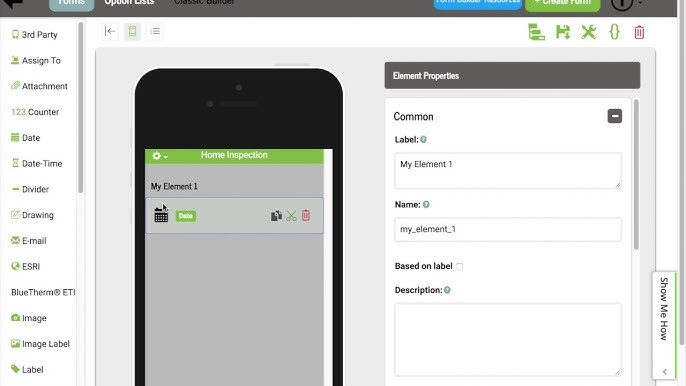
Zerion is a mobile workflow and inspection platform used across many industries, including healthcare, to support field data collection, compliance checks, and asset inspections.
Its core product, iFormBuilder, is a mobile-first data-collection and inspection tool designed for safety, compliance, and audit workflows. It helps hospitals manage facility inspections, sanitation rounds, and equipment checks. The platform helps standardize processes and cut down data entry time during inspections.
Key features
- Offline data collection: Allows inspectors to complete detailed audits anywhere and sync all captured data once connectivity returns.
- Advanced no-code form builder: Enables hospitals to design dynamic, logic-based inspection forms tailored to unique compliance workflows.
- Barcode and RFID support: Enables teams to instantly scan equipment or assets, improving inspection traceability and accuracy.
- Rich media capture: Records photos, notes, GPS, and signatures directly in inspection forms for more precise documentation.
- API and automation tools: Integrates inspection data with external hospital systems to streamline reporting and reduce manual tasks.
Pricing
Zerion offers custom pricing only, based on users, features, and deployment needs. Enterprise-grade security options, including HIPAA-capable setups, are available.
Pros
- Established support for inspection use cases in healthcare
- Highly customizable inspection workflows
- Reliable offline functionality, autosyncs when online
- Rich automation and integrations
Cons
- Not explicitly built for healthcare-facility scenarios
- Platform requires significant internal configuration
7. OrangeQC
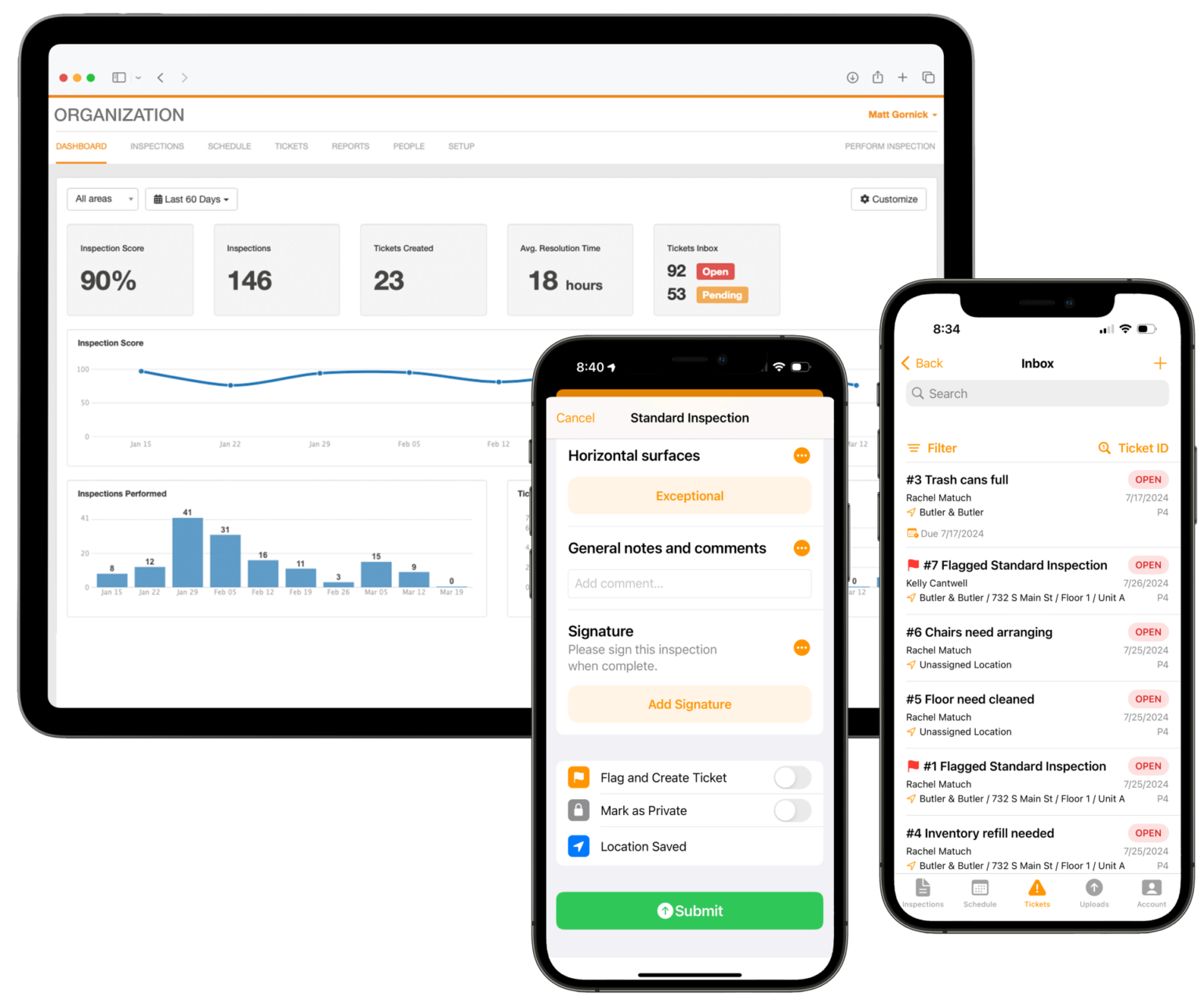
OrangeQC is a mobile-first inspection and quality control platform built for facility and environmental services, including hospital settings. Its simple, intuitive interface helps healthcare teams perform EVS inspections, track cleaning quality, and manage corrective actions across buildings.
Trusted by healthcare teams, it provides tools to support Joint Commission readiness, surface testing, and real-time trend tracking.
Key features
- Mobile inspections with customizable forms: Create checklists with photos, GPS, timestamps, and work offline to capture data anywhere.
- Ticketing and work-order tracking: Automatically generate work orders from inspection deficiencies and track progress across teams.
- Reporting and analytics dashboards: Real-time dashboards show performance trends, issue hotspots, and help teams stay survey-ready.
- Inspection scheduling and recurring tasks: Allows you to create scheduled and recurring inspections to meet cleaning and safety standards across large portfolios.
- Healthcare-specific inspection modules: Includes templates for EVS quality control, ATP testing results, sanitation rounds, and Joint Commission readiness.
Pricing
- Starter: $250/month for up to 2 inspectors.
- Standard: $500/month for up to 10 inspectors.
- Custom: For larger teams or complex workflows
- Free 30-day trial available: No payment info required, unlimited users during trial.
Pros
- Built for EVS and healthcare-specific inspections
- Real-time dashboards help spot audit trends quickly
- Easy ticketing system to handle deficiencies
- GPS, timestamp, and photo capture bring audit transparency
Cons
- Some users desire more advanced and flexible report customization options
- You may need to invest some time to configure locations and forms
8. GoAudits
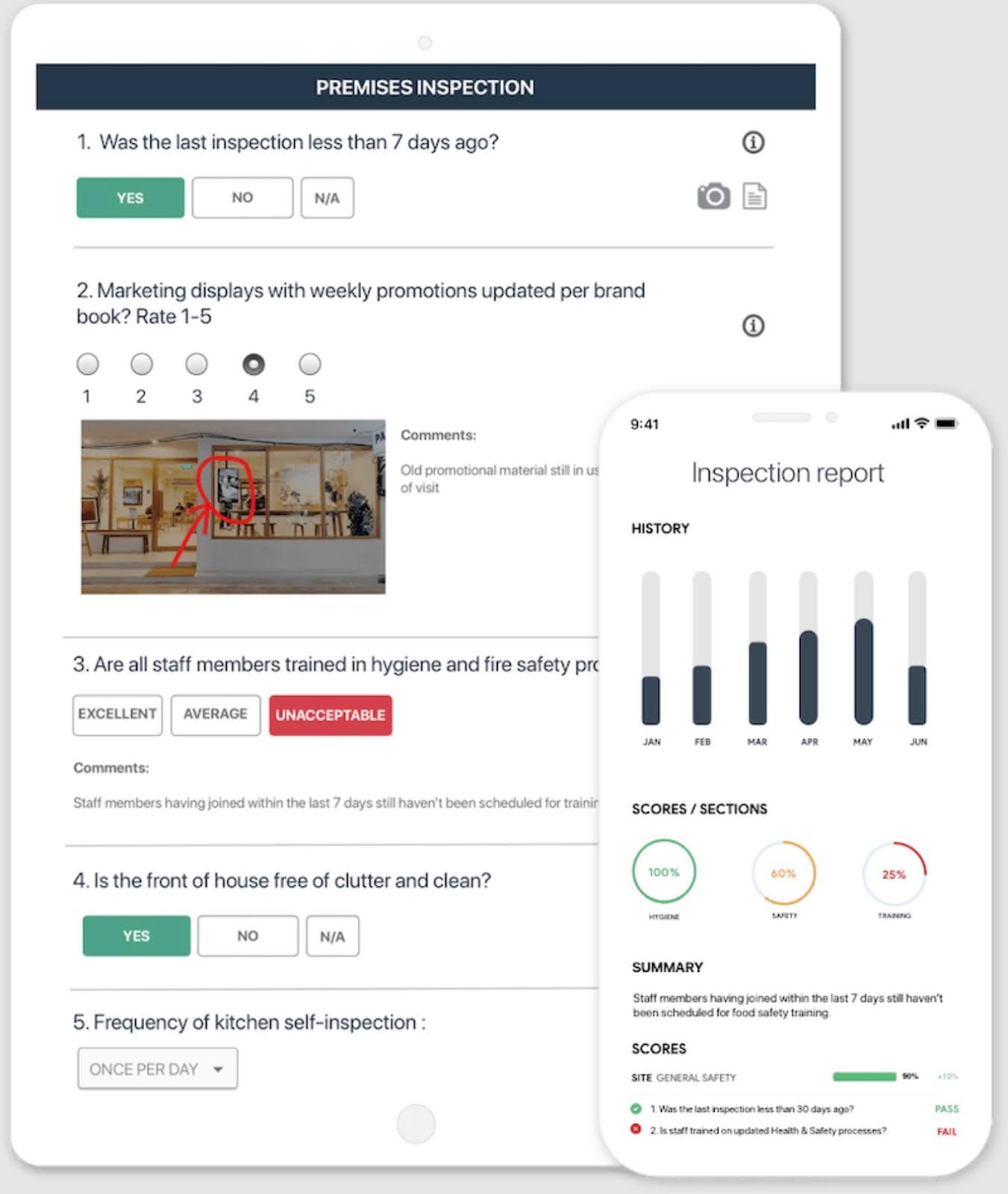
GoAudits is an all-in-one mobile inspection and auditing platform optimized for healthcare compliance. It empowers hospital teams to digitize safety checks, infection control audits, and quality inspections on any device, even offline.
Through its web portal, administrators can schedule audits, assign follow-up actions, and monitor compliance across all facilities in real time.
Key features
- Mobile inspections on any device: Conduct audits, capture photos, and sync data even when offline to document work on site.
- Instant reports and dashboards: Automatically generate branded PDF reports and view trends across sites to spot issues and act quickly.
- Pre-built healthcare checklist library: Use ready-made templates for hygiene, fire safety, and infection control inspections tailored for hospitals.
- Task assignment and follow-up: Assign corrective actions right from the field, track completion, and escalate as needed for full accountability.
- Multi-location support and scalability: Manage inspection programs across many buildings, campuses, or care homes with consistent workflows and visibility.
Pricing
- Free trial: 14-day trial with full access and free checklist setup from the GoAudits team.
- Starter plan: $10 per user/month (billed annually).
- Enterprise plan: $30 per user/month (billed annually), with advanced reporting, roles, and scheduling.
Pros
- Very user-friendly, no heavy training needed
- Offline mobile auditing capability
- Fast reporting with professional-grade reports
- Unlimited action assignees help accountability
Cons
- Needs a deeper integration system, not APIs and third-party tools
- Formatting options for final reports are somewhat limited
9. Asset Panda

Asset Panda is a flexible, cloud-first asset management platform used by hospitals to track medical, IT, and facility equipment. It centralizes asset records from purchase details to maintenance history, making audits, inspections, and preventive maintenance easier.
Designed for healthcare, its mobile app allows staff to scan barcodes, run inspections, and capture lifecycle data from anywhere.
Key features
- Mobile barcode scanning and check-in/out: Teams scan assets on site and update records in real time, reducing manual tracking.
- Customizable inspection forms and audit trails: Create inspection workflows with photos, status changes, and history logging.
- Centralized equipment data and lifecycle tracking: Store warranty info, manuals, location history, and link inspections to assets.
- Flexible reporting and dashboards: Generate reports on asset status, inspection outcomes, and maintenance actions.
- Integrations and mobile access: Sync with other systems via API, use the mobile app offline or online, customize fields and workflows.
Pricing
- Free trial: Get 14 days of access, unlimited users, and assets.
- Starter plan: $50 per user/month (billed annually), 5 users, and up to 1,000 assets.
- Business+ plan: $60 per user/month (billed annually), 10 users, and up to 5,000 assets.
- Enterprise plan: Custom pricing, unlimited users, and assets.
Pros
- Highly configurable to specialized healthcare workflows
- Unlimited users with role-based permissions
- Real-time inspections with barcode or QR scanning
- Strong preventive maintenance tracking
Cons
- Users notice occasional syncing delays when handling extensive datasets
- Setup can be complex for large multi-site systems
10. AI Automated Inspector
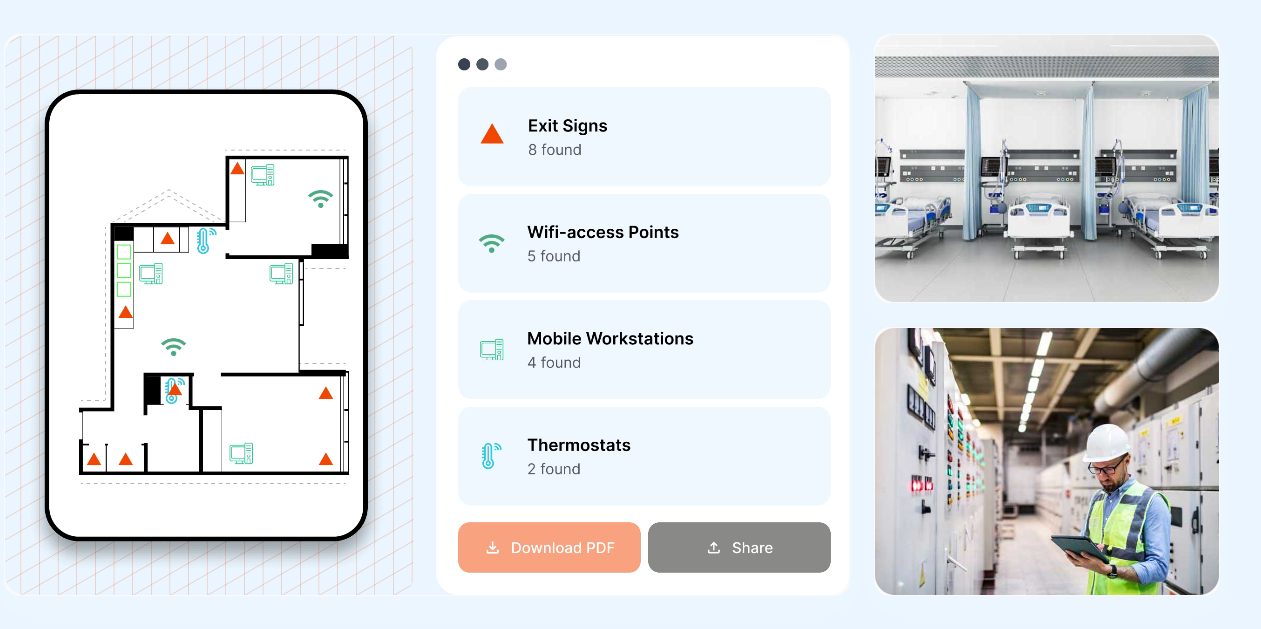
AI Automated Inspector is an AI-powered facility inspection tool that uses 360° video captures and computer vision to map assets and detect defects in hospitals and other facilities.
Once you upload a 360° video scan, the platform builds a detailed map and identifies assets, issues, and spatial layout, providing precise room-by-room visibility across your facility.
Key features
- Photorealistic floor plans: Creates accurate floor plans directly from video scans, even when existing drawings are missing or outdated.
- AI-powered 360° scanning: Capture a full facility view in minutes, including assets, exit signs, and safety infrastructure.
- Automatic asset detection and mapping: AI identifies assets and infrastructure automatically for instant inventories and audit documentation.
- Deficiency and compliance detection: The system flags missing or noncompliant items, such as missing exit signs or maintenance issues, for timely follow-up.
- 3D walkthrough and facility visualization: Generate 3D maps and walkthroughs so teams can inspect virtually without being on-site.
- Fast audit‑ready reporting: Export detailed compliance and inspection reports instantly, which helps prepare for regulatory surveys.
Pricing
AI Automated Inspector uses custom pricing and requires a demonstration. Public information does not list standard rates.
Pros
- Rapid facility-wide scanning replaces slow manual inspections
- Automatic asset and compliance detection reduces human error
- 3D maps and virtual walkthroughs give remote visibility
- Instant, audit-ready reports support regulatory readiness
Cons
- Operating the AI software requires a certain level of expertise in AI
- Reliance on scanning hardware may require setup effort
Streamline hospital inspections with Ruya
Hospital inspections are essential, but often time‑consuming and prone to errors when managed through outdated systems. The pressure to maintain compliance, track assets, and perform inspections on time only increases as facilities grow and campuses expand.
Ruya simplifies these needs with its intuitive mobile inspections, real‑time floor plan updates, and per‑building organization, ensuring that teams can complete inspections quickly without scrambling for paperwork. With Ruya, every part of your facility stays in sync.
Start simplifying your hospital inspection process with Ruya today.
Book a demo to see how our platform can help your teams stay organized, compliant, and efficient across all campuses.